Accounts and payments
Last updated - Jun 12, 2026 at 12:00PM
Billing, subscriptions and plan usage
How TimeDock calculates active employee usage
An Active Employee is any employee who docks in or out within the billing period.
Accepted payment methods
TimeDock accepts online credit card and debit card payments. New Zealand customers can also pay online by bank transfer using POLi, where available.
Automatic billing
You can opt into automatic billing for monthly payments up to $2,000 through our payment provider. Automatic billing only applies to invoices generated after you opt in. Any unpaid invoice already issued still needs to be paid manually.
Subscription changes and cancellation
You can cancel your subscription at any time by emailing [email protected]. We verify account ownership before closing or cancelling an account. TimeDock does not offer refunds.
If you exceed your plan limit during a billing month, additional usage is charged pro rata for that billing month.
Download a TimeDock invoice as a PDF
Log in to your TimeDock web dashboard.
Navigate to Billing via the top navigational menu (right hand side).
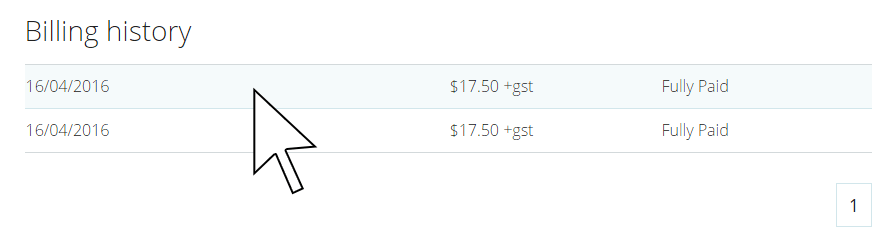
Click anywhere on the invoice line item to initiate the PDF download.
Add or change Credit Card details for billing
Log in to your TimeDock web dashboard.
Navigate to Billing via the top navigational menu (right hand side).
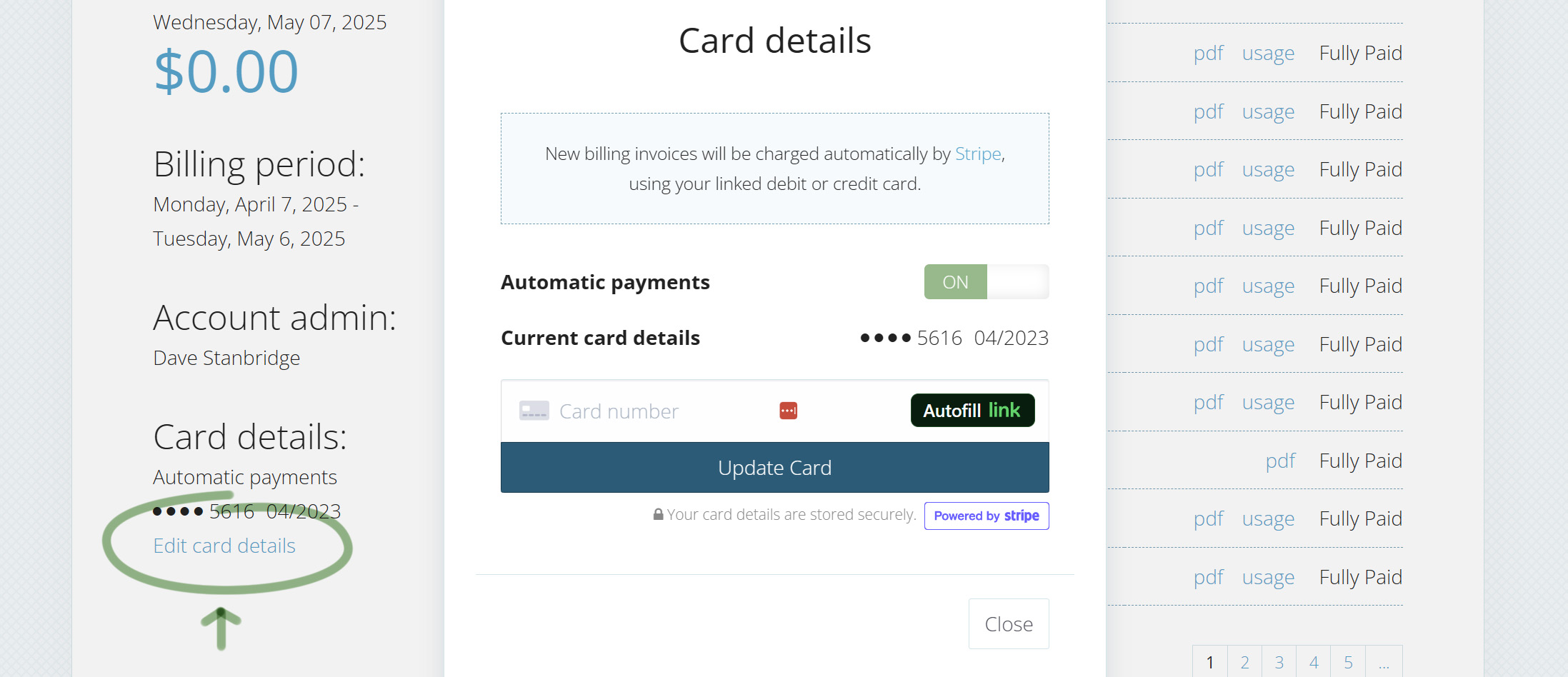
Click Edit card details bottom-left of the billing screen.
If Automatic Payments is turned off, click the Off/On toggle within the Card Details popup.
Enter your Credit Card details.
Click Update Card.